
Designing an album cover is essential in releasing a successful album, EP, or track. It is important to consider the cover art, title, and artist's name. This might sound like a lot and can even be tricky for the pros, but don't fret. Art Grab has you covered with over 100,000 pieces of exclusive cover art to choose from and our latest design tool – the album cover maker!
Art Grab artist and co-founder Josh Herrington (@circlecirclemath) has created an album cover maker tool for the community using the application Figma. This beginner-friendly file has been laid out so that users can "get it right" by choosing from one of the nine options the tool generates.
Step by Step
Step 1. To edit the file, you'll need a Figma account; you can create a free account here
Step 2. Download free Album Cover Maker
Step 3. Import Album Cover Maker from Step 2 into Figma
Once you are logged into Figma, click on "Drafts" in the top left corner, click on the “+” sign, and import the file that you just downloaded in Step 2

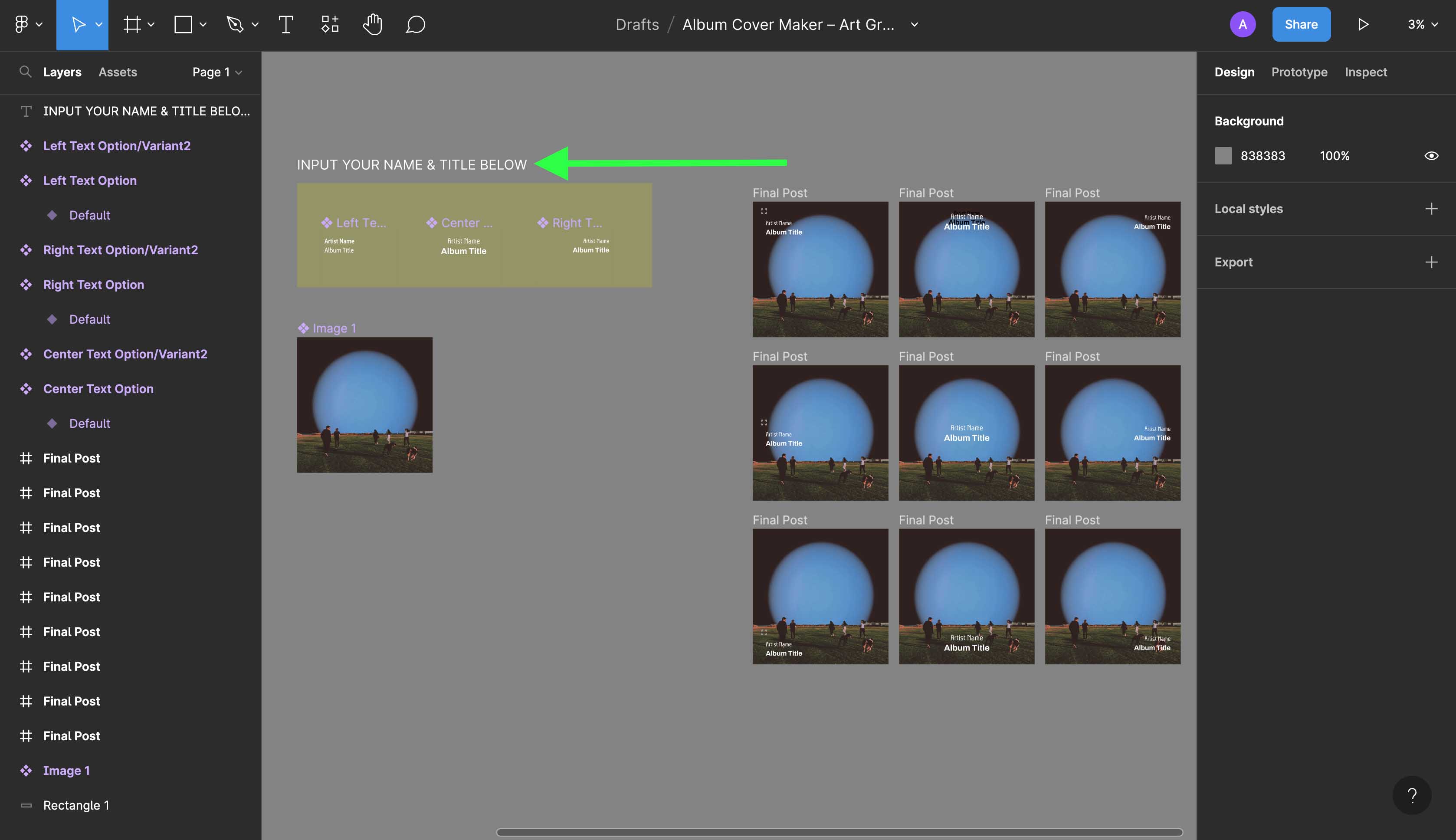
Step 4. Drag and drop your cover art over the placeholder image, and your file will appear in the grid

Step 5. Update title text & artist name
Pro Tip – Use the "INPUT YOUR NAME & TITLE BELOW" box on the art board to edit the text
Use the sidebar on the right side to update the font, font size, & color/fill to your liking
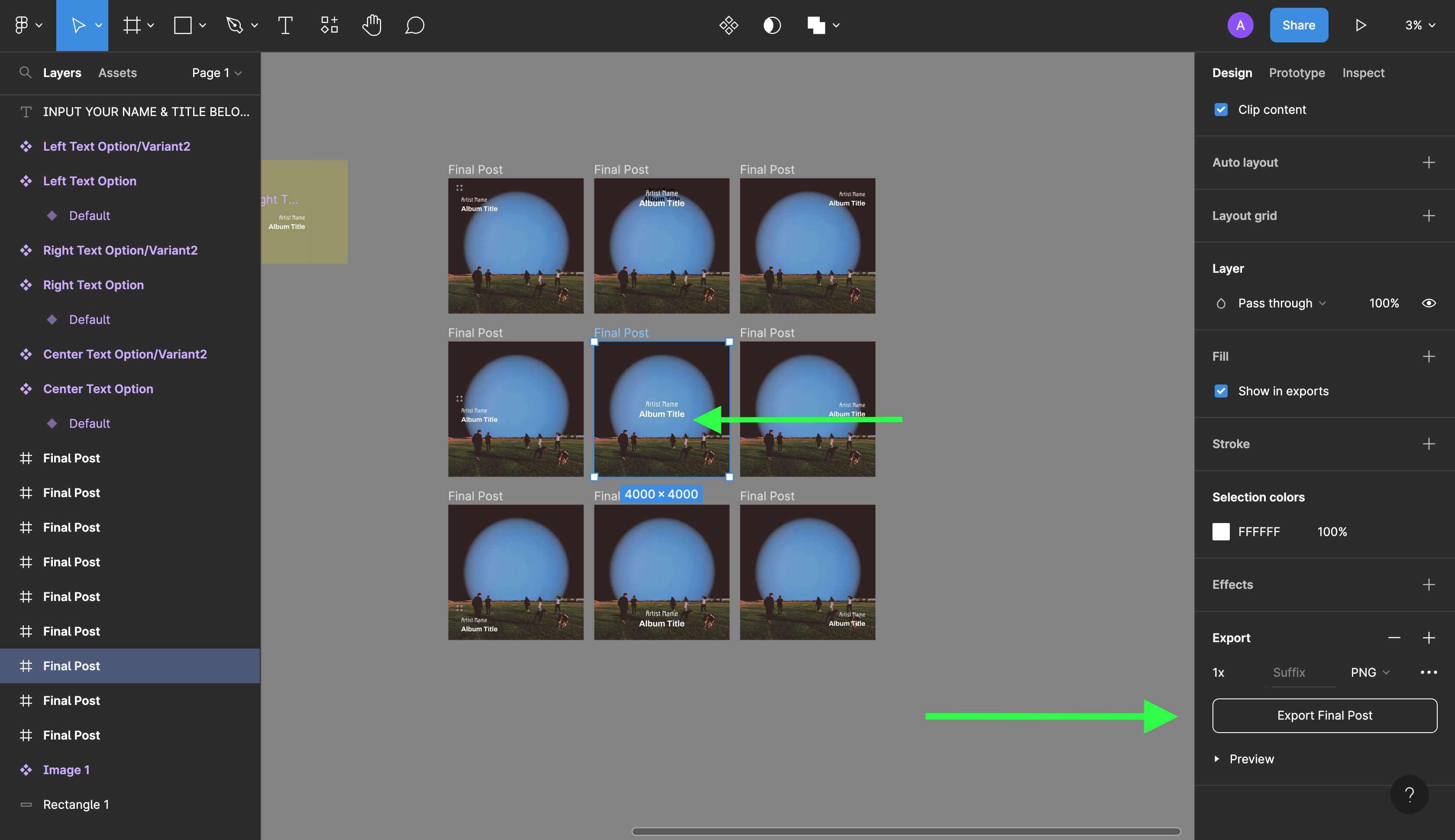
Step 6. Select and export your choice (once you've made your selection, you may need to scroll down in the sidebar on the right to locate the "Export" button)
If you made a mistake, don't worry; you can always delete and re-import the file!
We hope you'll find this album cover maker to be useful, and we would love to see what you create with it. If you tag @artgrab.co, we'll check out your creations and share some of our favorites.
Choose from over 100,000 album covers ready to be exclusively licensed and downloaded on Art Grab.


 Please log in or create an account to add artwork to collections.


